




|
Quick Tour
Hi there !
Welcome to the My-AU Student Portal. Need a quick tour of the site? Can't find what you're
looking for? Well if you need help finding something this is the place!
Info/help main menu >>

[Top Left]
There is a link on MY AU that will always bring you back to the portal home page.
[Top Navigation]
Provides links to any page you could ever want, for your
academic or personal needs.
- Academics Need help with information regarding your classes? This is the
first place to look to answer any of your questions. Look here for info on exam calendars,
regulations, tutoring, and much more.
- Resources Look under this tab for information regarding life in and around campus.
- Offices If you need information about offices located at Alfred Univeristy this is the place to look.
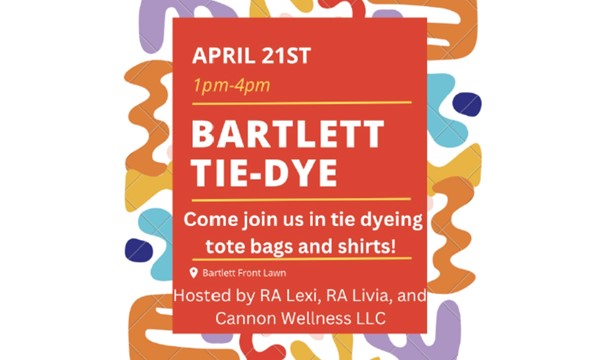
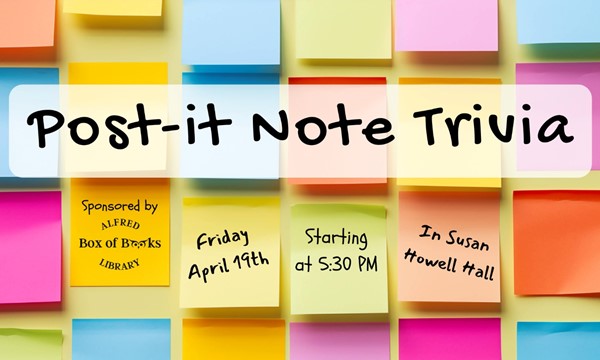
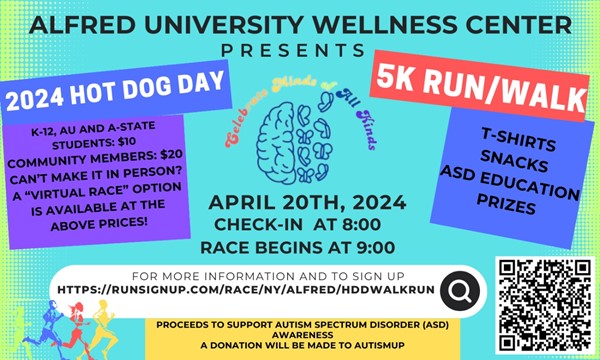
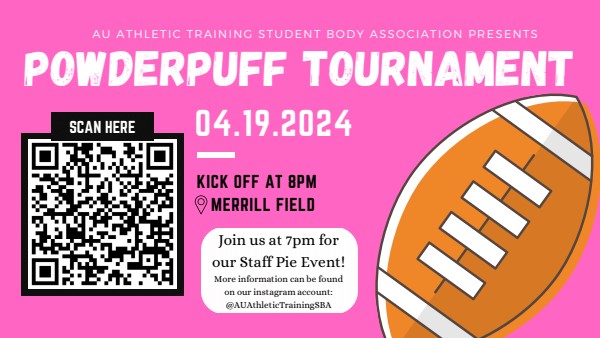
- News & Events Wondering what's happening around town? This tab will fill you
in on the latest information and events on and off campus.
- Sign
in It’s not necessary to
sign in on the My-AU home page and certain other portions of this site.
It’s more convenient to set my.alfred.edu as your home page and
have direct access to campus resources—you won’t
be bothered by a sign-in box. You won’t be asked to sign in until accessing
a secure page. My-AU remembers your basic preferences— content preferences, and all student-submitted content, including the
photo directory contents, are still secured in accordance with University
policy.
- Board @ Alfred This is a feature of the site that can be accessed after signing in.
Take a look under this tab to interact with the campus message boards, the latest polls, and to submit your own content to
the site.
[Top Right]
On your top right is the weather. The Extended Weather link gives a
forecast for Alfred. You can see an extended forecast for any US city by
entering the zip code.
[Left Navigation]
On your left are your quick links allowing easy access to places you visit most.
In addition, there is the My Search application that will allow you to search around
My AU, helping you find what you're looking for faster.
[Center Page]
In the center of the My-AU home page is information
about what is happening; on campus, off campus, whether it
is a play, sporting event, a concert or you will notice there are
announcements. You can even submit an announcement;
{be sure it is appropriate because we keep track of them}.
[Right Navigation]
On your right, there is highlighted features to show you some cool things we have
available. After you sign in, this area will allow you to edit your profile and the content
of the site to fit your own style. In addition, you will notice there are submitted
links. You can even submit a link of your own, but you have to be logged
in.
Check out our
Security Information Link located in the footer of
every portal page. While using My-AU remember to follow the
Policy
for Use of Computing Facilities at Alfred University.
*But the only directions you really need are to have fun! Be sure and let us know if
you have suggestions to make this portal even more user-friendly...
|