

Graduation Application
To apply to graduate you can now fill out the Graduation Application online through BannerWeb following the steps below.
- Go to BannerWeb
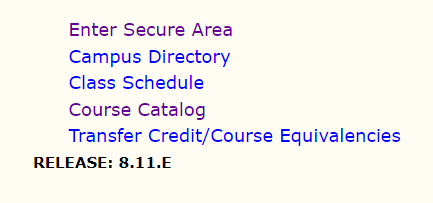
- Select "Enter Secure Area"
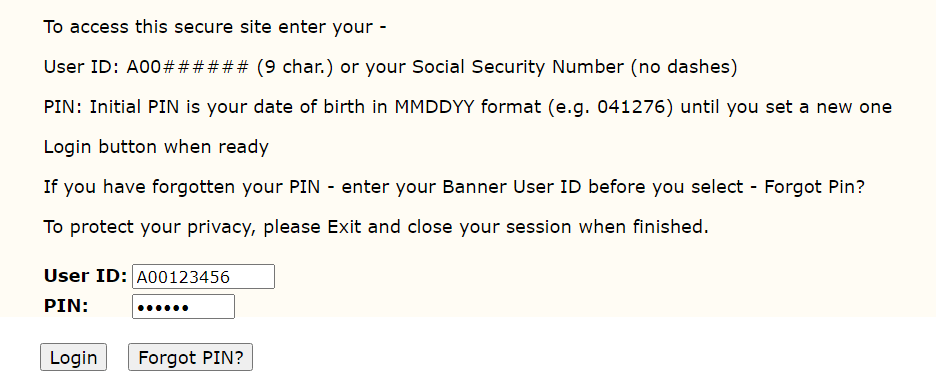
- Login using your User ID and PIN
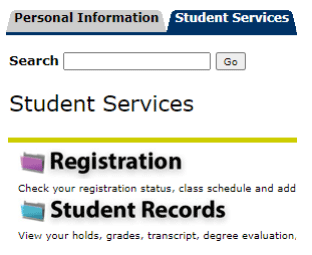
- Select the "Student Services" tab, then select "Student Records"
- Select "Application to Graduate"

- Select the term of your curriculum (usually the current term), then click the "Submit" button.
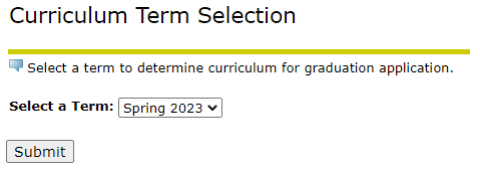
- Select one curriculum for this graduation application and then click the "Continue" button.
*If this major or minor are incorrect, please do NOT continue, exit, and contact the Registrar's Office ([email protected], 607-871-2123) or come to the office located in Seidlin Hall.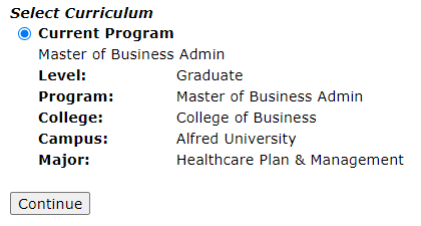
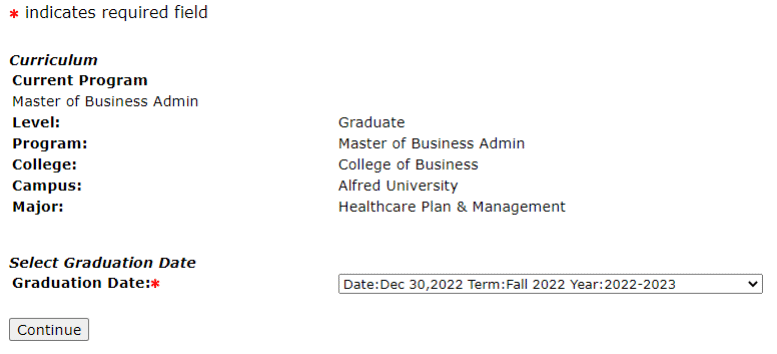
- Select the date of your expected graduation (This is the date you earn your degree not the commencement date).
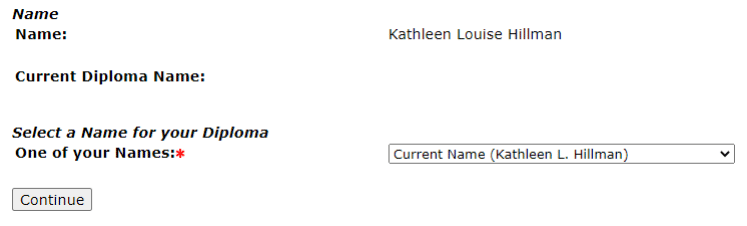
- Select your name then click "Continue". You can make adjustments on the next screen.
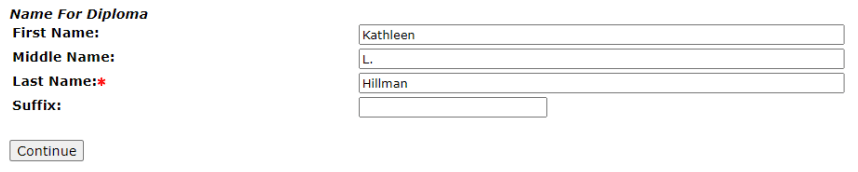
- Chosen first names are allowed, but please note that many employers (or if planning on working overseas) will expect your diploma to match your other legal documents. Select "Continue" when finished.
- A summary screen will appear. Please verify all information before hitting the "Submit Request" button. If you need to edit any of the information click the "Back" button.
- After clicking "Submit Request", you will see a confirmation letter appear on your screen.
Need Help?
If you have any questions, or need any assistance, please contact the Registrar’s Office at [email protected], 607-871-2123, or come to the office located in Seidlin Hall.